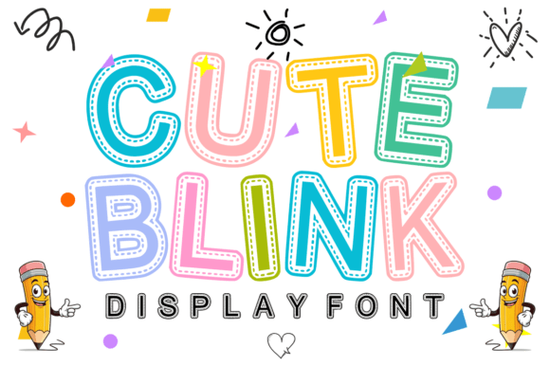
If you're looking for a playful and charming font to add a touch of whimsy to your designs, Cute Blink might just be the perfect choice. This adorable stitched display font is designed with a unique "handmade patch" or "embroidery" look, making it ideal for a variety of creative projects.
What Makes Cute Blink Special?
Cute Blink stands out with its charming dashed-line stitch effect inside bold, bubbly letters. The rounded edges and decorative inner lines give every word a handcrafted, whimsical personality. Whether you're designing classroom decor, kids' apparel, or birthday party invitations, this font adds a fun and creative splash to your work.
Perfect For Kid-Related Projects
One of the standout features of Cute Blink is its versatility in kid-related projects. Here are some ideas where you can use this delightful font:
- Classroom Decor & Teacher Worksheets: Add a playful touch to your educational materials and make learning more engaging.
- Kids’ Apparel & T-shirt Sublimation: Create unique and adorable designs for children's clothing and accessories.
- Birthday Party Invitations & Banners: Make your party invitations and decorations stand out with a fun, handmade feel.
- Cricut & Silhouette Crafting Projects: Perfect for crafting personalized gifts and home decor items.
- Book Covers & Sticker Designs: Add a charming and whimsical touch to book covers, journals, and custom stickers.
- Nursery Art & Scrapbooking: Create beautiful and heartwarming pieces for nurseries and scrapbooks.
How to Use Cute Blink in Your Designs
Incorporating Cute Blink into your designs is simple and can transform your projects. Here are a few tips to get you started:
- Choose the Right Colors: Select colors that complement the playful nature of the font. Pastel and bright colors work well.
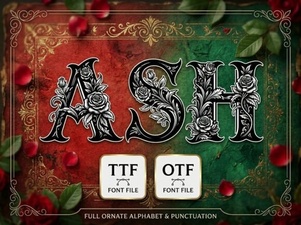
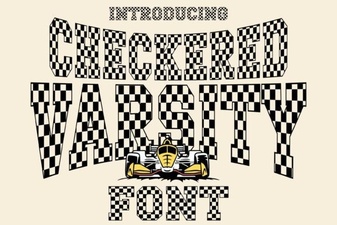
- Combine with Other Fonts: Pair Cute Blink with a clean, simple font for a balanced and professional look. For example, you could use Checkered Varsity Font for a sporty and dynamic feel, or Ash Font for a more elegant and refined touch.
- Experiment with Layouts: Play around with different text layouts to find the one that best fits your design. Try centering the text, using it as a header, or even as a decorative element.
- Add Embellishments: Enhance your designs with additional elements like borders, icons, or illustrations to create a cohesive and visually appealing project.
Why Choose Cute Blink?
Cute Blink is not just a font; it’s a way to bring a smile to people's faces. Its unique stitch effect and bubbly letters make it a great choice for any project that needs a touch of whimsy and charm. Whether you’re a designer, crafter, or print-on-demand seller, this font can help you create designs that stand out and capture attention.
Final Thoughts
Adding Cute Blink to your design toolkit can open up a world of creative possibilities. Its playful and handcrafted look makes it perfect for a wide range of projects, from educational materials to fun merchandise. Don’t hesitate to experiment with different color combinations and layouts to see how this font can enhance your designs.
Next Steps:
- Download and install Cute Blink on your computer.
- Brainstorm a few project ideas where you can use this font.
- Start creating and see how Cute Blink can bring your designs to life.
 Ash Font: a Modern & Minimalist Typography for Designers
 Design Projects Using Checkered Varsity Font
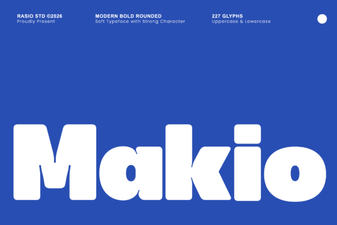 Makio Font: Creative Ideas & Download Guide
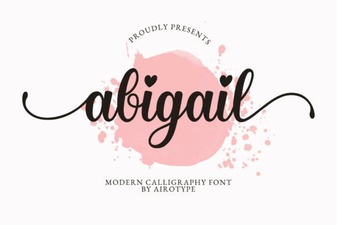 Discover the Abigail Font for Creative Design Projects
 Vintage Groovy Fonts for Modern Design Projects
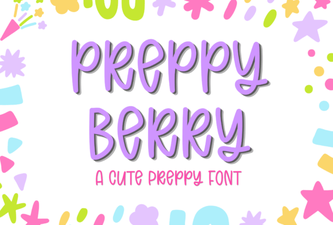 Preppy Berry Font: Design Inspiration & Project Ideas